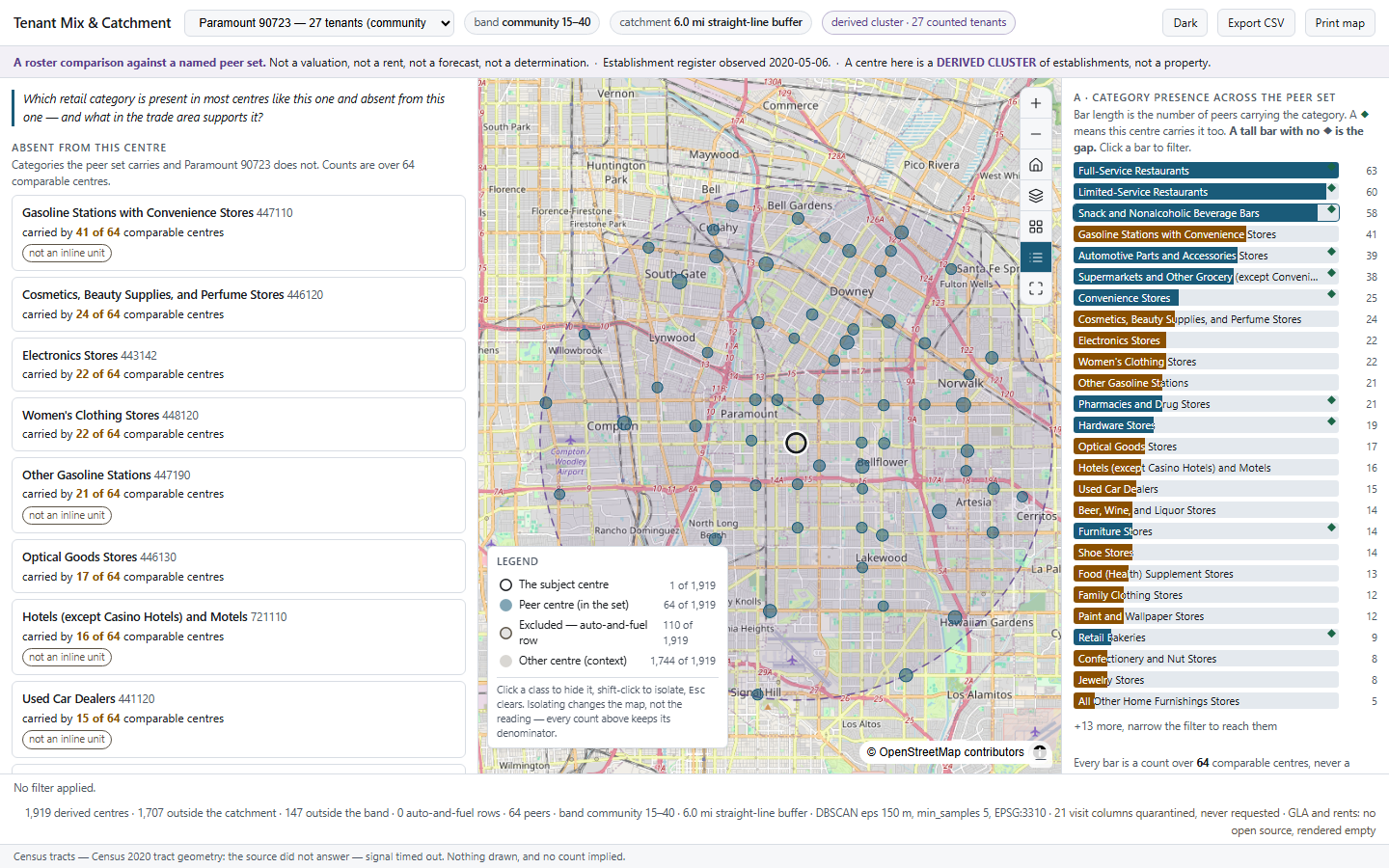
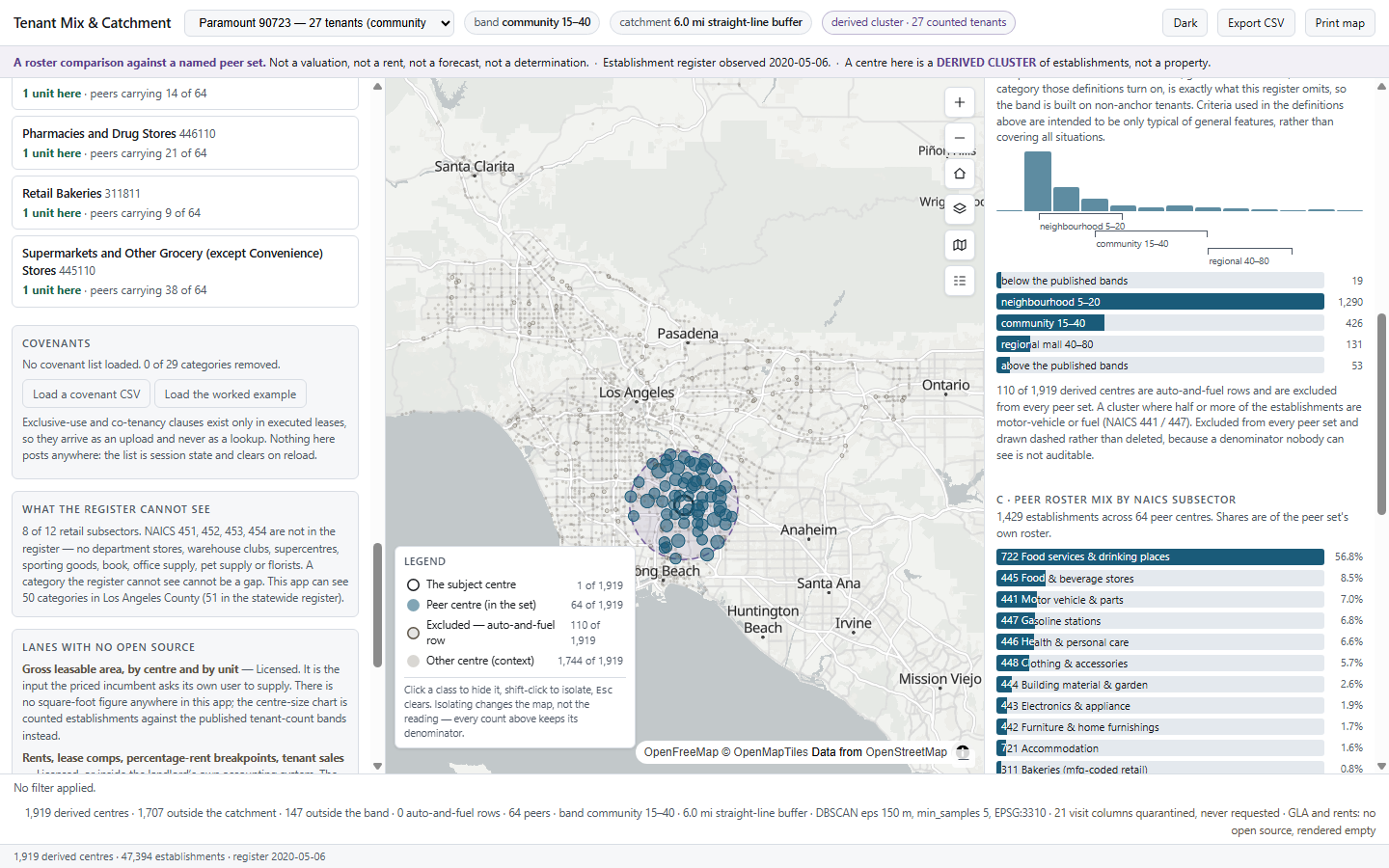
The app compares your centre's tenant mix with similar shopping centres nearby. It lists the store categories they have and you lack. Every centre in the comparison is shown on the map, so you can check it yourself.
Before you talk to any brand, you decide on a category: beauty, a pharmacy, women's clothing. That choice shapes the leasing plan. It still holds if one prospective tenant walks away.
The app is built for landlords and centre asset managers. Think of an owner of a neighbourhood or community centre, a leasing team at a REIT, or a family office with a few retail strips. Leasing agents and investment committees can use the same view.
This is the kind of answer you get: a missing category, and how many similar centres have it. There is no score or black-box rating.
All 64 centres are on the map. Click any of them to see what it contains.
In the UK it is called gap analysis. Several commercial products offer it, and at least one is priced for a single-centre landlord.
The score comes from comparison centres picked from the vendor's own paid data. You cannot see which centres were used.
Exclusive-use clauses and co-tenancy terms sit inside signed leases. In practice, many teams end up working from a spreadsheet.
Rents, sales, footfall and floor area all need paid data. Knowing which store categories each centre has does not. That comes from a free public business register, so the app can show you the full list of centres it compared.
Industry guidelines describe neighbourhood, community and regional centres as having roughly 5–20, 15–40 and 40–80 stores. The app counts the stores in each centre and compares yours only with centres of the same size class.
The catchment is the area a centre draws its shoppers from. The same guidelines give a typical range for each centre type, such as 3–6 miles for a community centre. The app uses that range as its starting point and states it on screen.
The guidelines say themselves that these figures are only typical. Store count stands in for floor area, which is not publicly available. The app says this on screen.
A "centre" in this app is a cluster of businesses found in the register, not a legal property. There is no parcel, owner or site area. The clusters are found with a published method for mapping US retail centres. For your own centre, you upload its tenant list.
Each step is shown, so you can follow how the list of similar centres was built.
Change the size class or the distance and the list of similar centres, the chart and the missing categories all update together.
Some gaps are ones you cannot fill anyway.
An exclusive-use clause gives an existing tenant the sole right to a category in your centre. Under California law such clauses can rule a category out. They sit only in your signed leases, so outside tools never see them.
Store categories come from a public business register for Los Angeles County, dated 6 May 2020. Each business is classified by its official industry code.
Every similar centre is on the map and can be opened. The size class, the catchment distance and the method used to find centres are all shown on screen.
The example centre is built from the register. It is not any landlord's actual site plan, and every screen and export says so.
One limit to keep in mind: the register is from 2020, so some stores will have opened or closed since. Household and spending figures shown alongside come from published government sources.
Bring your centre's tenant list and location, and a list of your exclusive-use and co-tenancy clauses. We add a public business register for your market. That gives you the comparison with similar centres, which is hard to put together on your own.
It can be set up for other markets. The business register, the category list and the centre size guidelines can all be swapped for local ones. Nothing is tied to California's rules.